
A real task manager,
inside Obsidian.
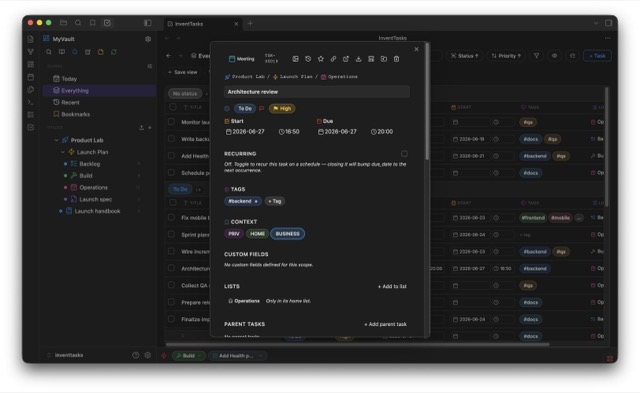
Spaces, lists, statuses, priorities, 24 custom-field types, subtasks, dependencies, docs and six views — List, Table, Board, Calendar, Gantt & Timeline. All stored as plain Markdown in your own vault. No cloud lock-in — and an optional self-hosted Sync with a browser app when you want it. Syncing your entire vault is free.
See it in action
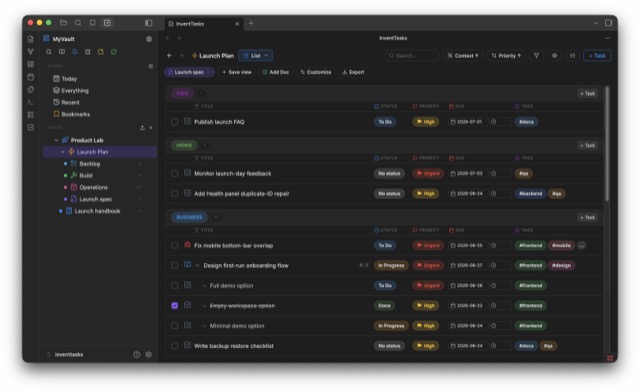
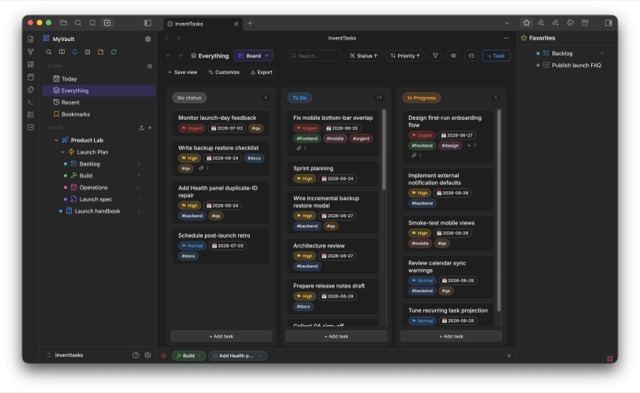
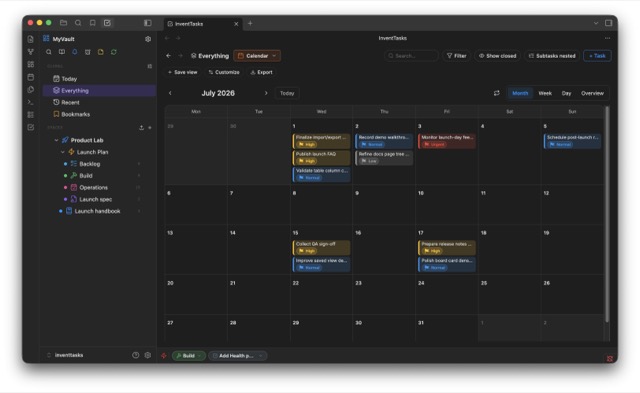
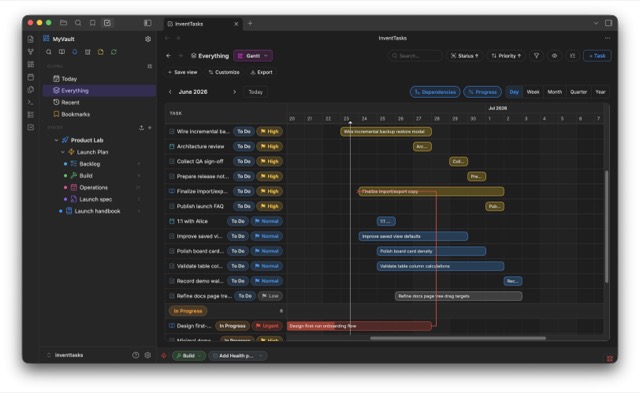
Everything a task manager needs
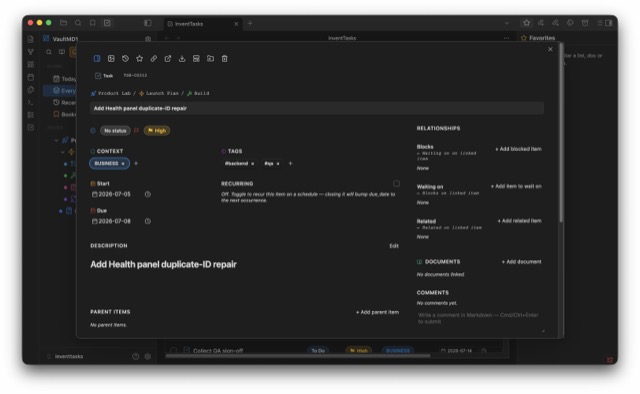
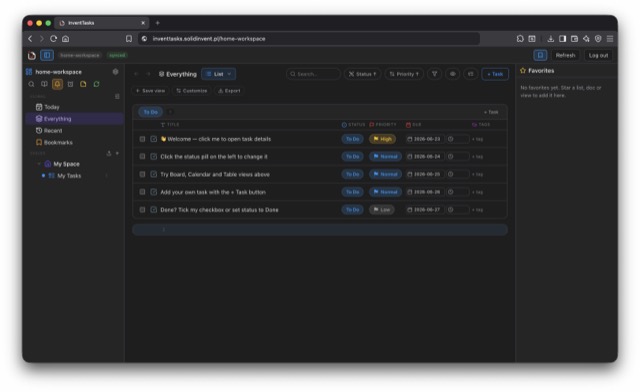
A complete workspace — built on the plain Markdown files you already trust. And not just tasks: every entry is an Item, and an Item can be anything — a task, a bug, a client, an order, a habit. Fully configurable.
Your files, your rules
Every task, list and doc is a Markdown file. Readable, portable, git-friendly, yours forever — no proprietary database.
Six powerful views
List, Table, Board, Calendar, Gantt and Timeline — each with its own filters, grouping, sorting and saved layouts, per location.
24 custom-field types
Money, rating, progress, relationship, doc links, location, dropdowns, labels and more — scoped to a list, space or task type.
Subtasks, checklists & dependencies
Nested subtasks, checklists, and waiting-on / blocking relationships drawn as dependency arrows on the Gantt chart.
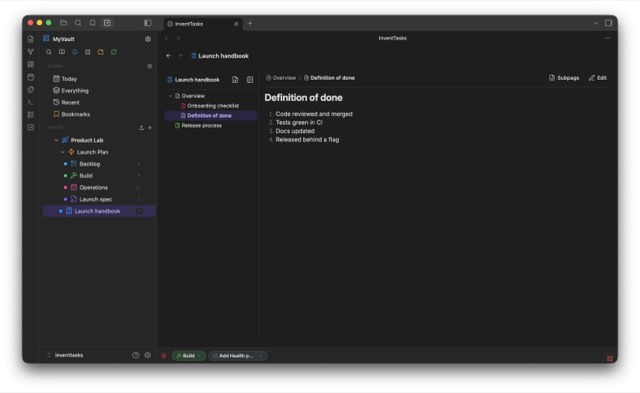
Docs, built in
Nested docs and pages live right next to your tasks — still just Markdown in your vault.
Self-hosted Sync & web app
Optional: run the free sync server on your own VPS to sync devices and open your workspace in any browser. No third-party cloud.
Reminders & calendar sync
System and push notifications, plus calendar sync that pushes your scheduled tasks to a CalDAV calendar or an ICS feed.
Free whole-vault sync
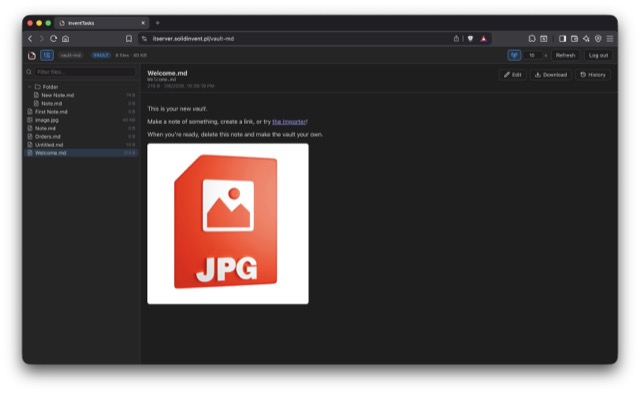
Sync your entire vault — notes, images, attachments — to your own server. Free, no license needed. Includes a web file browser: preview & edit Markdown, manage files, version history.
Made to fit your flow
Custom statuses & item types, recurring items, time tracking, hotkeys, deep links, CSV / Markdown / JSON / PDF export — in 6 languages.
…and a lot of the small things, too:
- Items, not just tasks — fully configurable types
- Spaces · Folders · Lists
- Priorities & tags
- Kanban swimlanes
- Day / week / month calendar
- Gantt dependency arrows
- Gantt & Timeline → PNG / PDF
- Milestones
- Recurring tasks
- Time tracking & sprint points
- Doc & task relationships
- Nested AND/OR filters
- Quick search
- Web file manager — drag & drop
- Version history & deleted-file restore
- External REST API — OpenAPI 3.1
- Cover images & icons
- Bulk actions
- Templates
- Backup & restore
- Favorites & pinned views
- Custom task IDs
- Activity log & notes
- Offline, local license
- EN · PL · DE · FR · ES · IT
Simple, lifetime pricing
Pay once. Try everything first in the free version — that is your demo, so there are no surprises.
Discount applied — the prices below already include it.
- 1 space
- 5 lists
- 50 open tasks
- All views & field types
- Whole-vault sync & web file browser
- Unlimited spaces, lists, tasks
- All current features
- All your vaults & devices
- Self-hosted Sync & web app
- Updates for this version
- Everything in Pro — same license
- You fund development & the creator's work
- Pick your amount — thank you!
Exactly the same license as Pro — by choosing this plan you additionally support the project's development and the creator's work.
You're an absolute legend — thank you, truly. 🙏
One license per email. Buying again with the same email always returns the same key — there's nothing extra to gain. Need a separate license? Just use a different email.
Prices include tax where applicable — Paddle is the Merchant of Record and handles VAT/sales tax worldwide.
Install in two minutes
- In Obsidian: Settings → Community plugins → Browse, search for InventTasks, click Install, then Enable. Updates arrive like they do for any other plugin.
- Open the plugin from the ribbon. The free version loads a small demo so you can try everything.
Installing by hand? Download inventtasks.zip, unzip it into
<vault>/.obsidian/plugins/, restart Obsidian and enable
InventTasks under Community plugins (on mobile, see the
INSTALL.md inside the zip).
Activate your license
-
After buying, you receive an email with a key that starts with
IT1. - Go to Settings → InventTasks → Activation.
- Enter the same email you bought with, paste the key, click Activate. Done — limits removed.
Self-hosted sync — a free alternative to Obsidian Sync
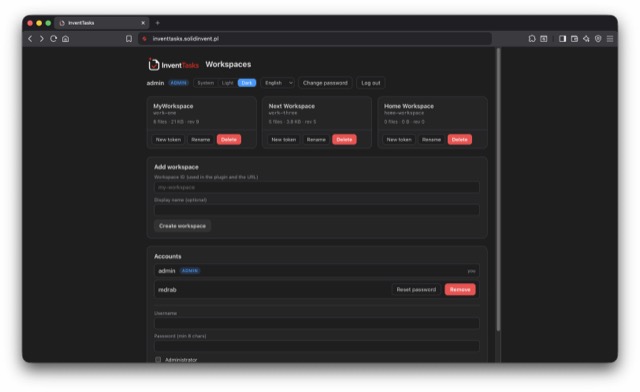
Your whole vault in any browser — even on a machine that doesn't have Obsidian. The server ships a web app: log in and read, edit, upload and restore your notes from a work laptop, a phone, or someone else's computer. Nothing to install, nothing to sync first.
Tasks are local Markdown files and work fully offline. When you want sync, run the free sync server on your own VPS — your data never touches our servers. It syncs task workspaces and — free, for everyone — your entire vault.
The web app is more than tasks: every synced vault gets a full file browser. Preview images, PDFs, audio and video; read and edit Markdown (wiki-links and embeds work) and other text files; upload, rename, move and delete with drag & drop; and restore earlier versions — deleted files included — from the server's history.
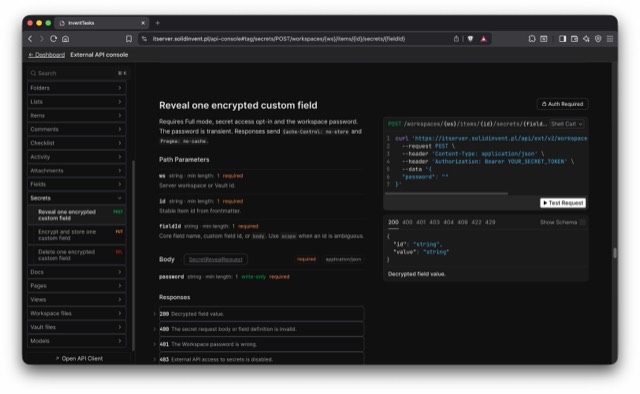
New: the server also ships a full External REST API. Read and write every item, doc, view and file in your workspaces and vaults from scripts and integrations — stable IDs, single-field access, guarded secrets. Access is off by default and set per object (read-only or full) with dedicated API keys; an interactive API console is built in, and the whole surface is described by OpenAPI 3.1.
-
On a VPS with Docker, unzip the bundle, copy
.env.exampleto.envand set your admin login (ADMIN_USER/ADMIN_PASSWORD), domain and email. -
Run
docker compose up -d. Caddy fetches an HTTPS certificate automatically; the server image is pulled from GHCR. - Open the server URL, log in, and create a workspace in the dashboard — you get its API token (shown once) and its own URL. Paste that token (and the workspace ID) into the plugin's sync settings.
Full details, and an honest comparison with Obsidian Sync →
FAQ
Is it really lifetime?
Yes — one payment unlocks this major version forever, on all your devices, tied to your email.
What if it doesn't work for me?
That's exactly why the free version is a full demo: try every feature before paying. See the license terms for the no-warranty / refund policy.
Does my data go anywhere?
Tasks stay as Markdown files in your vault. Nothing is sent anywhere unless you enable optional self-hosted sync; license checks work offline.
How does sync work — do you host my tasks?
We don't. InventTasks is local-first and works fully offline. Sync is optional and self-hosted: you run the free sync server on your own VPS (Docker), so a workspace can sync across devices and open in any browser through the included web app — all on infrastructure you control. The same server also syncs your entire vault — that part is free — with a web file browser, Markdown editing and version history.
Is whole-vault sync really free?
Yes. Syncing your entire Obsidian vault (notes, attachments, any files) to your own server is free and needs no license — including the web file browser with editing and version history. The Pro license removes the task-manager limits (spaces, lists, open tasks).
Does it work on mobile?
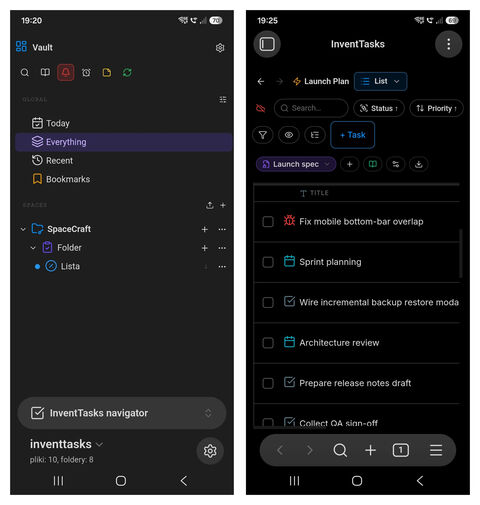
Yes — InventTasks runs on Obsidian for desktop and mobile, with a layout tuned for small screens (Gantt & Timeline are read-only on mobile). It's also available in English, Polish, German, French, Spanish and Italian.
Can I move my license to a new computer?
Yes — just enter the same email and key in the new install.
What if I buy more than once with the same email?
You'll get the exact same key every time — one email maps to one license, so there's no benefit to buying twice. If you want a separate license (e.g. for someone else), buy it with a different email.