
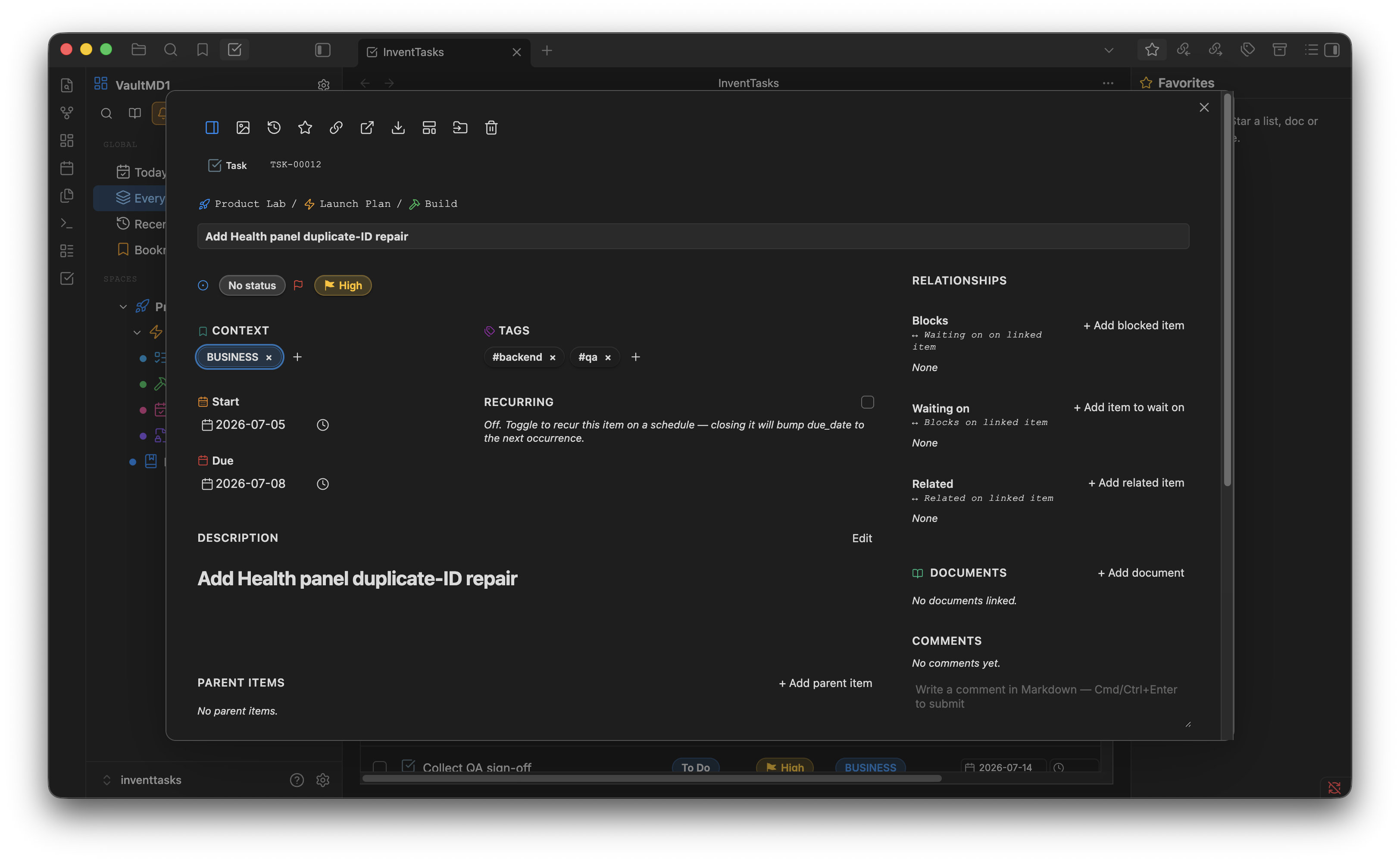
InventTasks exists because of ClickUp. I spent years in it, and what it got right was structure: spaces holding lists, custom fields on every task, statuses defined per list instead of handed down, and several views of the same work depending on what I needed to see that day.
What it got wrong, for me, was where all of it lived. The tasks sat on someone else's server, in a shape only their software could read, behind a subscription that had to keep being paid for as long as I wanted to open my own planning. The structure was good. It was just borrowed.
So I rebuilt the structure on files I own.
What carries over#
| In ClickUp | In InventTasks |
|---|---|
| Spaces, folders, lists | directories in your Obsidian vault |
| Custom fields | 24 field types, written as YAML frontmatter |
| Statuses defined per list | status sets you define yourself |
| List, Board, Calendar, Gantt | six views over the same tasks |
| The two-pane task detail | the wide task view, on any window wide enough |
| Recurring tasks | recurring tasks, rescheduled when you close them |
| Dependencies and subtasks | dependencies and subtasks |
That last mapping is not a marketing comparison. The wide task layout is called "ClickUp-style" in our own source, in four separate places, because that is what it was modelled on.
What you don't give up#
This matters more than the table above.
- Your files. Every task is a Markdown note with YAML frontmatter. Read it
in any editor,
grepit, keep it in Git, open it in ten years without this plugin installed. - Working offline. There is no server in the middle. The plugin reads and writes your vault, and that is the whole architecture.
- Obsidian itself. Tasks are notes, so backlinks, search, the graph and your themes keep working on them.
- The way out. Uninstall the plugin and the notes stay exactly where they were. There is no proprietary database to export from, because there never was one.
If you want the same tasks on a second machine, the self-hosted sync server is free and has no licence — it syncs your whole vault, or only the task folders, onto hardware you own.
What ClickUp does that this does not#
Worth knowing before you buy, rather than after.
- This is single-user. No assignees, no team roles, no
@mentions, no simultaneous editing. It is a personal task manager. - No automation rules. ClickUp's "when the status changes, do this" engine has no equivalent here.
- No cross-team reporting. There are no dashboards aggregating other people's work, because there are no other people.
If you need a team tool, ClickUp is a team tool and this is not.
Where the data lives#
Every task is one file:
---
id: TSK-00107
title: Rewrite the onboarding email
status: in_review
priority: 1
tags: [marketing, q3]
due_date: 2026-09-30
---

The current one buries the download link below the fold.
Which means your planning survives everything a subscription does not: Git
history, grep, Obsidian's own search, your own scripts, and the day you stop
using this plugin.
The free version holds 50 open tasks across 5 lists — enough to move one real project over and see whether the structure survives contact with your work.