
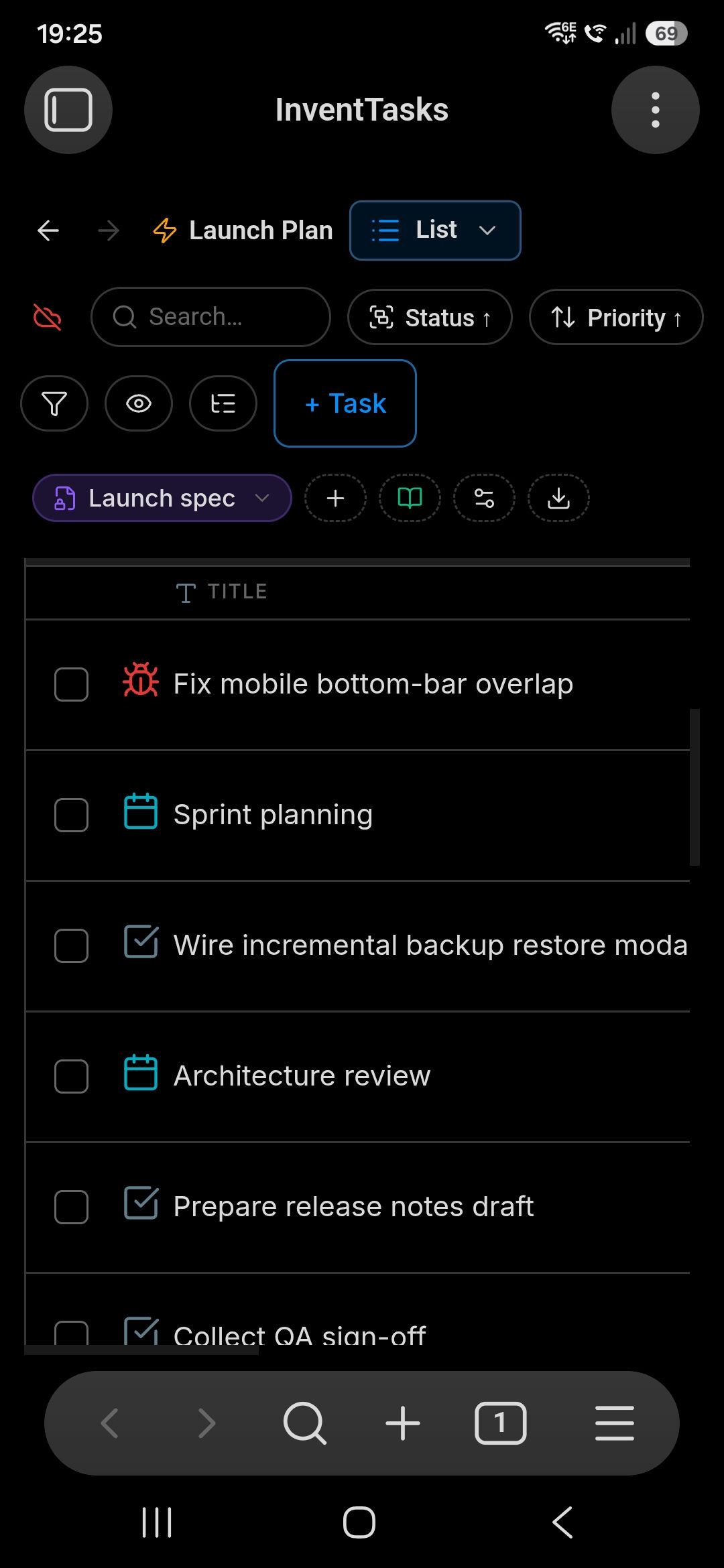
InventTasks is not a desktop plugin with a phone afterthought. It runs inside Obsidian mobile on Android and iOS, over the same files, with the same configuration — because the configuration is Markdown in the vault, so it arrives with everything else.
What works on a phone#
- Every view — List, Board, Calendar, Table, Gantt, Timeline
- The full task editor, in a single-column layout tuned for a narrow screen
- Creating, editing, filtering, grouping and saved views
- The sidebar as an Obsidian leaf, so it behaves like the panels you already use
- ntfy push notifications, which arrive even when Obsidian is closed
- Sync — your own server, Obsidian Sync, iCloud, or any file-sync tool, because it is all just files
What stays on desktop, and why#
This is the part most plugin pages leave out.
| Capability | Desktop | Mobile |
|---|---|---|
| Gantt and Timeline | Full | Read-only |
| Keyboard shortcuts | Yes | No |
| Calendar background sync | Yes | No — configure on desktop |
| External notification scheduler | All workspaces | Active workspace only |
| ntfy push | Yes | Yes |
The reasons are mundane rather than principled. Dragging a Gantt bar on a 480-pixel-wide screen is not a feature anyone enjoys. Long-lived background schedulers are hostile on mobile operating systems that suspend apps aggressively.
None of it stops you seeing the data — a Gantt chart still renders on a phone, you just cannot reschedule by dragging.
Getting notified without Obsidian open#
The one that matters in practice. Configure an ntfy account once — ntfy.sh or your own ntfy server — and install its app on the phone. Overdue tasks, reminders, due-soon warnings and the daily digest arrive as ordinary push notifications.
One caveat, stated plainly: an InventTasks client has to be running somewhere
to send them. The phone receives push even with Obsidian closed, but something
— usually a desktop that stays on — has to notice the task is due and dispatch
it. Keep one desktop as the dispatcher per vault, and keep
_workspace-state.md synced so two machines do not send the same reminder
twice.
Fitting a narrow screen#
Mobile bottom offset lifts lists and dialogs clear of Obsidian's own bottom navigation bar — set it once, per device. The calendar's header starts collapsed on mobile; pull down to reveal it. Sidebar placement, the Quick Access bar and the favourites panel are per-device settings and deliberately do not sync, so your phone layout does not follow you to a 27-inch monitor.
No account, on any device#
Activation is offline and local. There is no login, no server call to use the plugin, and no per-device seat — the licence covers your own vaults on your own devices.